The Fine Print in Your Case Box Is Quietly Waiting to Ruin Your Day
Somewhere in the box your PC case arrived in — probably wedged between two pieces of molded foam and a bag of thumbscrews you'll never fully account for — there was a warranty card. Maybe a QR code. Maybe a folded pamphlet printed in four languages, none of them quite readable at normal human font sizes. You ignored it. We all ignore it. And manufacturers are absolutely counting on that.
PC case warranties are the dark horse of the build process. Everyone obsesses over GPU warranty terms and RMA horror stories, but the chassis? That big aluminum-and-tempered-glass rectangle you spent $150 on? Nobody gives it a second thought until something goes wrong. And by then, you've already done six things that quietly invalidated your coverage.
Let's peel back the layers on this one — because the gotchas hiding in case warranty language are genuinely banana-level absurd.
What Case Warranties Actually Cover (Spoiler: Less Than You Think)
Most major case manufacturers — Lian Li, Fractal Design, NZXT, Phanteks, Corsair — offer warranties ranging from one to three years on their chassis. Sounds reasonable. The catch is what "defects in materials and workmanship" actually means in practice.
Manufacturers define defects very narrowly. A bent panel that arrived bent? Covered. A bent panel that bent because you pushed too hard swapping out a tempered glass side panel? Suddenly that's "user-induced damage," and you're on your own. The line between factory defect and user error is drawn entirely by the manufacturer, and shockingly, they tend to draw it in their own favor.
Cosmetic damage — scratches, scuffs, chips in powder coating — is almost universally excluded after a laughably short window, sometimes as little as 30 days. So if you discover a scratch on your brand-new $200 case after a month of admiring your build from across the room, congratulations, you now own a scratched case.
The Tempered Glass Trap
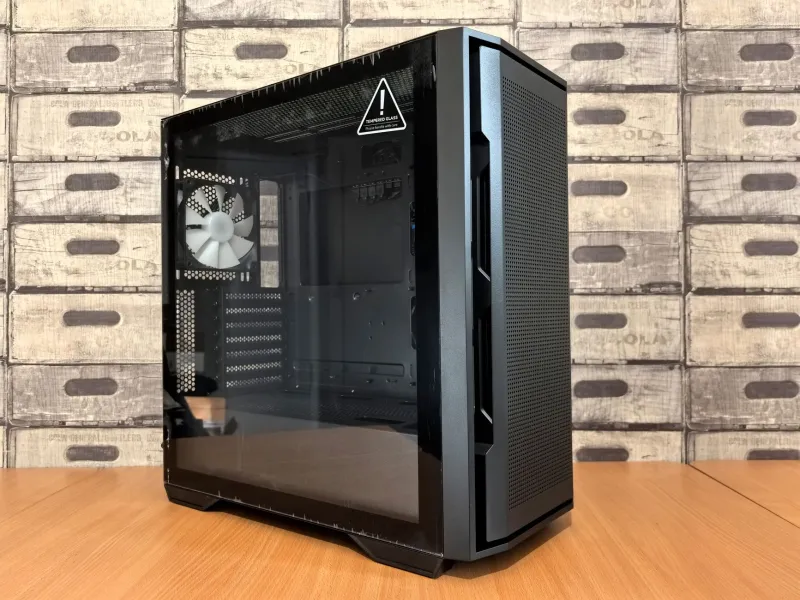
This one gets builders more than almost anything else. Tempered glass panels are simultaneously the most aesthetically important part of a modern case and the most fragile. They shatter. It happens. You bump the desk, a cat makes a life decision, the panel decides today is its last day — whatever the cause, you're now looking at a spiderweb of cracks.
Here's the problem: most manufacturers explicitly exclude tempered glass breakage from warranty coverage unless they can confirm it arrived damaged. And proving that? Nearly impossible once you've already assembled a full build inside the case. A few brands — Fractal Design deserves credit here — sell replacement panels directly and at reasonable prices. Others will quote you a replacement cost that makes you question why you didn't just buy a side-panel-less case to begin with.
If your case arrives with any glass damage, document it immediately with photos and timestamps before you touch anything. This is non-negotiable. Your future self will thank you.
Fan Additions: The Modification That Seems Totally Fine (Until It Isn't)
Adding fans to a case is so normal it barely registers as a modification. You buy a mid-tower with three pre-installed fans, you add two more to the top exhaust, done. Except some warranty documentation — particularly from smaller or budget-oriented brands — includes language about "alterations to the product's intended configuration" voiding coverage.
In practice, major brands rarely invoke this clause over a couple of added case fans. But if your case develops a structural issue — a cracked fan mount, a stripped screw hole, a panel bracket that snaps — and you've got four extra fans bolted in places the manufacturer didn't design for, they have documented grounds to argue user modification contributed to the failure. It's a stretch, but it's a stretch they're legally entitled to make.
The safe play: keep any fan addition documentation. Take photos of your mounting points before and after. If a mount cracks, you want evidence that your fan installation was clean and within the case's rated specifications.
Cable Management Modifications: Where Things Get Genuinely Weird
This is the warranty violation nobody talks about because it sounds ridiculous — and it kind of is. Some builders, chasing that ultra-clean aesthetic, drill additional cable routing holes, remove factory grommets and replace them with aftermarket ones, or even Dremel out sections of the motherboard tray to route cables differently.
Here's the hard truth: the moment you take a cutting tool to your case, you have almost certainly voided your warranty in its entirety. Every major manufacturer's warranty documentation includes language about physical modification or alteration. Drilling a hole is physical modification. Full stop.
Now, are you going to need your case warranty after Dremeling it? Probably not for the same reasons. But if your case has a manufacturing defect that only becomes apparent six months in — a hairline crack in the frame, a PSU bracket that fails — you've already closed the door on getting any help.
How to Keep Your Mods Warranty-Friendly
None of this means you have to treat your case like a museum piece. It means you have to be strategic.
Document everything before you start. Unbox the case, photograph every panel, every interior surface, every pre-installed component. If something was wrong from the factory, you need proof it was wrong before your hands touched it.
Stick to reversible modifications. Adding fans, replacing fan grilles, swapping out thumbscrews — all reversible. Drilling holes, cutting panels, painting surfaces — not reversible. If you can put the case back to factory condition before shipping it for an RMA, you're in a much safer position.
Check your specific brand's warranty terms before you mod. This takes about four minutes and could save you a significant headache. Fractal, Lian Li, and Phanteks tend to have more builder-friendly terms. Some budget brands are surprisingly aggressive about modification clauses.
Buy replacement glass panels before you need them. If your case has a tempered glass panel, find out right now whether the manufacturer sells replacements and what they cost. For some cases, it's $20. For others, it's $60. For a few, it's "we don't sell that, good luck." Know this before the panel meets the cat.
Register your product immediately. Most manufacturers require product registration to process warranty claims. Doing it the day your case arrives takes two minutes and removes one more potential denial vector.
The Bottom Line
Case warranties aren't going to save you from catastrophic financial loss the way a GPU warranty might. Cases are cheaper, and the failure modes are less dramatic. But they're not worthless, either — especially on premium chassis where a panel replacement or frame defect could run you real money.
The manufacturers aren't evil for writing protective warranty terms. They're just businesses doing business things. The responsibility for reading those terms falls on you, the builder. And since you're already the kind of person who researches CPU coolers for three weeks before buying, spending ten minutes with a warranty document isn't exactly out of character.
Peel back the fine print. Power up your build. And maybe, just this once, don't throw away the warranty card.