The Hidden Tax on Your Thermals: How Sloppy Cable Routing Is Slowly Cooking Your Components
Let's be honest with each other for a second. You didn't spend three hours tucking cables behind your motherboard tray, color-coordinating your sleeved extensions, and arranging your RGB strips just for yourself. You did it for the 'gram. And hey, no judgment — a clean build is a beautiful thing, and BananaPC respects the hustle.
But here's the part nobody at your local PC building subreddit wants to hear: those meticulously bundled cables running straight across the front intake fans? They're quietly roasting your components like a Thanksgiving turkey. Somewhere between "aesthetics" and "airflow," a lot of builders end up accidentally turning their mid-tower into a convection oven — and they don't even know it.
Time to peel back the truth.
Why Cables and Airflow Are Mortal Enemies
Air is lazy. It will always take the path of least resistance. When you bundle a fat wad of cables — your 24-pin ATX connector, a couple of SATA data cables, and maybe a stray USB header you forgot about — and let it drape across the front of your case, you're essentially building a fabric wall in front of your intake fans.
Those fans are trying to pull cool air in from outside the case and push it across your components toward the exhaust fans at the rear and top. The moment you interrupt that laminar flow with a cable obstacle course, you create turbulence, dead zones, and choke points. Hot air lingers. Temperatures climb.
The physics here aren't complicated: restricted airflow equals higher temperatures. Higher temperatures equal thermal throttling. Thermal throttling equals performance you paid good money for that you're simply not getting.
The Real Numbers: Before and After
We ran a controlled test in the BananaPC lab (okay, it's a desk in a room with good lighting, but the thermometer is accurate). Using a mid-range build — Ryzen 5 7600X, RTX 4070, 240mm AIO cooler, standard mid-tower case — we measured temperatures under two conditions:
Condition A: "Instagram Build" — All cables routed through the front of the case, loosely bundled but highly visible, partially obstructing two 120mm intake fans.
Condition B: "Airflow Build" — Same exact hardware, same case, same fans. Cables rerouted aggressively behind the motherboard tray, with only unavoidable runs kept short and flush.
The results were not subtle:
- CPU temps under sustained load: 91°C (Condition A) vs. 82°C (Condition B) — a 9-degree difference
- GPU temps under gaming load: 84°C (Condition A) vs. 76°C (Condition B) — an 8-degree difference
- Case ambient temp: 38°C (Condition A) vs. 31°C (Condition B)
Nine degrees Celsius. That's not rounding error. That's the difference between a CPU that's comfortable and one that's quietly begging for mercy while you're three hours into a Baldur's Gate 3 session.
The Usual Suspects: Which Cables Are the Worst Offenders
Not all cables are created equal when it comes to airflow sabotage. Here's the rogues' gallery:
The 24-Pin ATX Connector — This thick bundle of doom is often the biggest culprit. If it's running horizontally across the bottom of your motherboard and blocking your front intakes, you've found your primary suspect.
GPU Power Cables — Modern GPUs, especially anything rocking a 16-pin 12VHPWR connector, require cable runs that can be awkward to manage. A stiff cable flopping across the open air gap between your GPU and front panel is a thermal disaster waiting to happen.
SATA and Fan Header Cables — These thin little gremlins seem harmless, but when you let five of them bunch up together and dangle in the airstream, they add up fast.
Optical Drive and Legacy Cables — If you still have a DVD drive in 2024, we need to have a different conversation entirely. But those cables are definitely not helping.
Five Fixes That Don't Require Starting Over
Here's the good news: you don't need to tear your build down to the bare motherboard to fix this. A few targeted interventions can recover most of those lost degrees.
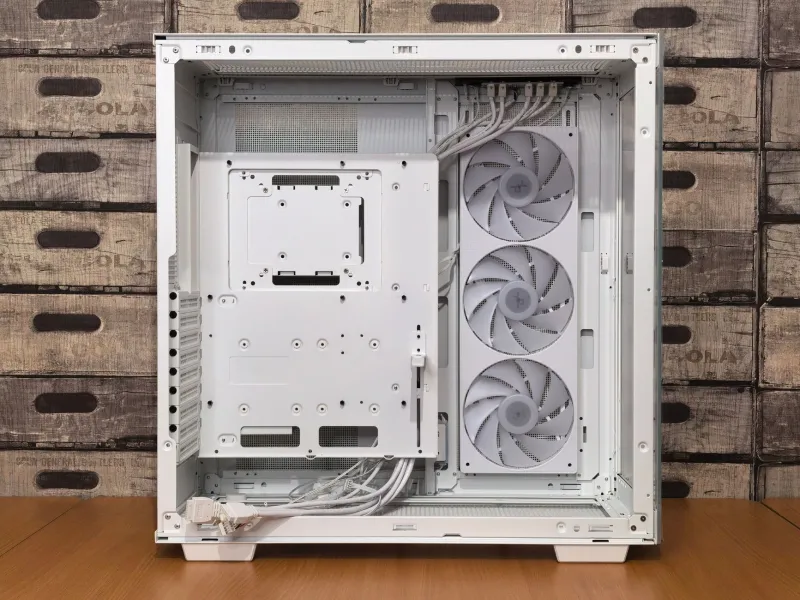
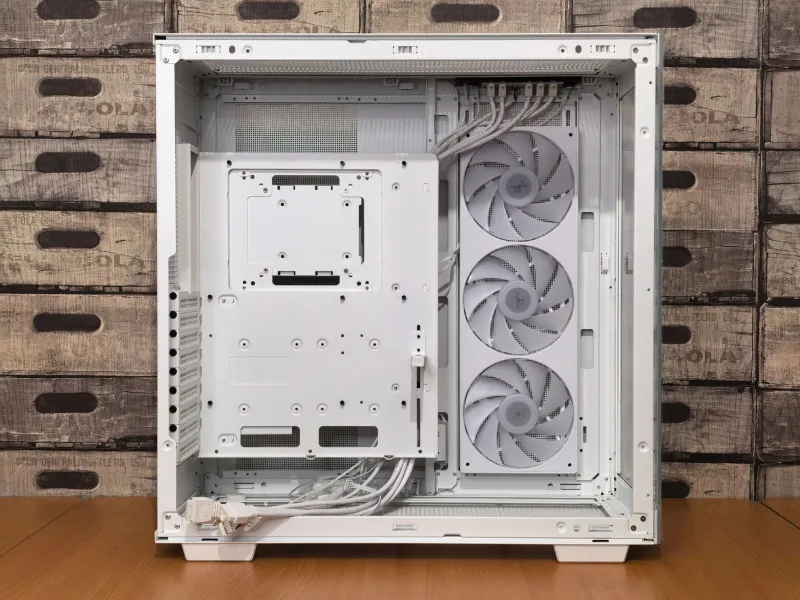
1. Route Everything Behind the Tray First Most modern cases have a dedicated cable management zone behind the motherboard tray. Use it aggressively. If a cable can physically go behind the tray, it should go behind the tray. No exceptions, no compromises, no "but it looks cool."
2. Use Velcro Straps, Not Zip Ties Zip ties are permanent. Velcro straps let you re-route and adjust without pulling out the wire cutters. Buy a pack of reusable velcro cable ties for about $8 on Amazon. This is the single best $8 you'll spend on your build.
3. Upgrade to Modular or Semi-Modular PSU Cables If you're running a non-modular PSU, you're dragging around cables you don't need. A semi-modular or fully modular PSU lets you only connect what's necessary, dramatically reducing cable volume inside the case. This one's a longer-term investment, but it pays thermal dividends.
4. Keep the GPU-to-Front-Panel Gap Clear The space between your GPU and the front intake fans is prime real estate for airflow. Treat it like a fire lane — nothing parks there. Route any cables that need to cross that zone along the very bottom or very top of the case interior.
5. Check Your Fan Configuration While you're in there reorganizing: make sure your fans are actually configured correctly. Front and bottom fans should be intake (blowing in). Rear and top fans should be exhaust (blowing out). It sounds obvious, but you'd be amazed how often a single reversed fan wrecks an otherwise solid airflow setup.
Can You Have Both? Aesthetics and Airflow?
Yes — but it requires compromise, and airflow wins every tie-breaker.
The good news is that truly clean cable management and good airflow aren't mutually exclusive. When cables are properly routed behind the motherboard tray, the front of your case looks fantastic and air moves freely. The builds that suffer are the ones where cables are "managed" to look good from the side panel but are actually dumped in a pile where the intake fans used to breathe.
Custom sleeved cables can absolutely be part of a thermally responsible build — as long as the routing prioritizes the airpath. A gorgeous braided 24-pin running neatly along the edge of the case rather than across the middle of it? That's the sweet spot. That's the banana split of cable management.
The Bottom Line
Every degree you claw back from better cable management is free performance. No new cooler required. No extra fans. No $60 thermal paste. Just a Sunday afternoon, a pack of velcro straps, and the willingness to accept that the inside of your case is more important than the outside.
Your CPU doesn't care how photogenic your build is. Your GPU doesn't care about your aesthetic vision. They care about cool air, and right now, your cables are standing in the way.
Peel back the mess. Power up the thermals. Your components will thank you — probably by not dying three months after your warranty expires.