A Blob of Silver Goop Is Quietly Throttling Your CPU — Here's How to Fix It
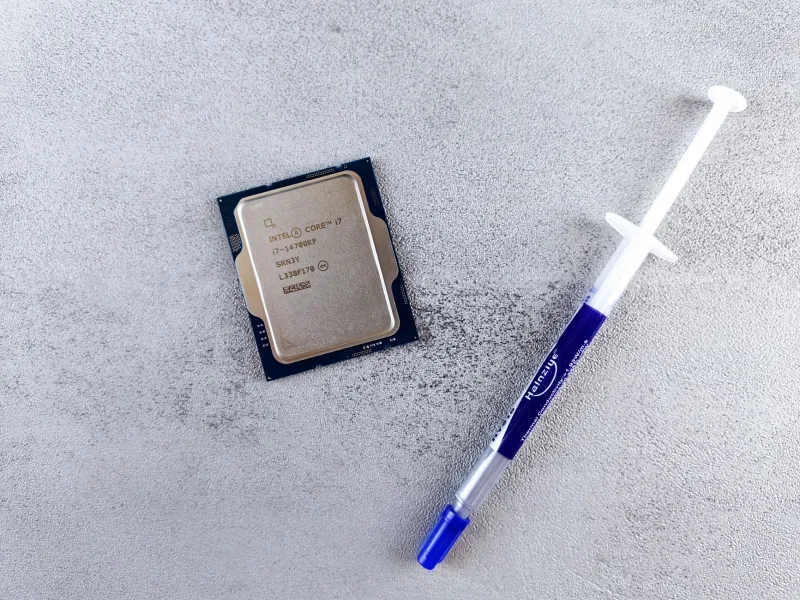
Somewhere between agonizing over GPU benchmarks and stalking RAM prices like a hawk with a spreadsheet addiction, most PC builders make a catastrophic detour into overconfidence. They crack open a tube of thermal paste, squeeze it like they're frosting a birthday cake, slap the cooler on, and call it a day.
Then they wonder why their shiny new CPU is hitting 95°C under load like it's auditioning for a role in a volcano documentary.
Welcome to the most under-discussed performance bottleneck in custom PC building. We're talking about thermal paste — a product that costs less than a large order of fries but has an outsized impact on how cool, how fast, and how long your processor actually runs.
Why Thermal Paste Even Exists (The Five-Second Science Lesson)
Here's the thing: your CPU's integrated heat spreader (IHS) and your cooler's base plate look perfectly flat and smooth. They are not. Under a microscope, both surfaces are riddled with microscopic valleys and peaks — basically a tiny mountain range that would make a hiker weep. When metal meets metal, those imperfections trap air pockets, and air is a spectacularly terrible conductor of heat.
Thermal paste — also called thermal compound, thermal interface material, or "that gray stuff I definitely applied correctly" — fills those microscopic gaps, replacing insulating air with a material that actually transfers heat efficiently. Without it, your cooler is essentially wearing oven mitts.
The Most Common Application Mistakes (Be Honest With Yourself)
The Overachiever Glob More is not more. Squeezing out a generous helping because you want to "make sure it covers everything" just means excess paste squeezing out the sides, potentially creeping toward capacitors, and doing absolutely nothing useful in the middle where it actually matters. Thermal paste works in a thin, even layer — not as a frosting situation.
The Artistic Spreader Yes, some old-school guides told you to spread the paste manually with a plastic card or your finger. YouTube has about four hundred videos of people doing this with tremendous confidence. The problem is that manual spreading almost always introduces air bubbles, uneven thickness, and contamination. Modern pastes are designed to spread under the pressure of the cooler mounting — trust the process.
The Viral X or Cross Method Social media loves the X pattern. It looks intentional. It feels scientific. It is, in most cases, overkill that can actually produce worse coverage than a simple centered dot or line, depending on your CPU's die size. Intel's larger IHS and AMD's chiplet-based designs have different sweet spots, and the X method doesn't account for any of that nuance.
The "I'll Never Reseat It" Mentality Thermal paste doesn't last forever. Most compounds start degrading meaningfully between three and five years, sometimes sooner in hot environments. If your PC is more than a few years old and you've never reapplied, your temperatures have probably crept up and you've been blaming Windows updates like the rest of us.
Budget Paste vs. Premium Paste: Is the Price Gap Real?
The thermal paste market runs the gamut from $3 tubes of generic white compound to $15–$25 premium options like Thermal Grizzly Kryonaut or Noctua NT-H2. So does spending more actually buy you lower temperatures?
Honestly? Sometimes, but less than you'd think.
Budget pastes like Arctic MX-4 or the paste bundled with your cooler typically perform within 2–5°C of premium compounds under real-world conditions. For most users running stock speeds and reasonable ambient temps, that difference is invisible in daily use.
Where premium paste earns its keep is in edge cases: extreme overclocking where every degree matters, high-ambient-temperature environments (looking at you, un-air-conditioned summer gaming sessions), or workstation builds running sustained heavy workloads for hours. Thermal Grizzly Conductonaut — a liquid metal compound — can drop temperatures by 10–20°C compared to standard paste, but it's electrically conductive, which means one slip and you've got a very expensive paperweight.
The BananaPC verdict: Arctic MX-6 (~$8) is the sweet spot for 95% of builders. Spend the money you save on literally anything else in your build.
The Right Way to Apply Thermal Paste (Finally, an Answer)
Here's the method that works consistently across most desktop CPUs without requiring a PhD or a steady surgeon's hand:
-
Clean the surfaces first. Use isopropyl alcohol (90% or higher — the drugstore 70% stuff has too much water) and a lint-free cloth or coffee filter. Get both the IHS and cooler base completely clean. Old paste, fingerprints, and dust are the enemy.
-
Apply a pea-sized dot to the center of the IHS. That's it. A single dot, roughly 3–4mm in diameter. For larger Intel CPUs with a wider IHS, a short horizontal line across the center works better.
-
Mount the cooler straight down with even pressure. Don't drag it across the surface — lower it directly and secure it using a cross-tightening pattern (like tightening lug nuts on a tire) to ensure even pressure distribution.
-
Don't second-guess yourself and pull the cooler off to check. You'll just have to clean and start over. Trust the dot.
-
Run a stress test and check your temps. Tools like HWiNFO64 or Core Temp will tell you if something went sideways. A well-seated cooler with fresh paste on a modern mid-range CPU should idle comfortably below 45°C in most cases.
The Bottom Line
In a hobby where people routinely debate whether a $50 price difference between two GPUs is worth it, the fact that a $3–$8 tube of thermal paste gets so little attention is genuinely baffling. Applied correctly, quality thermal paste keeps your CPU cooler, extends component longevity, and can actually recover lost performance from a processor that's been throttling itself into mediocrity for years.
It's the cheapest performance upgrade most builders never think to make twice. Don't be that person who drops $400 on a CPU cooler and then undermines the whole investment with a rogue glob of paste and misplaced confidence.
Peel back the price. Apply the paste correctly. Power up your rig — thermally speaking.