You're Wasting Money on Fast RAM: The MHz Myth That's Draining PC Builders Dry
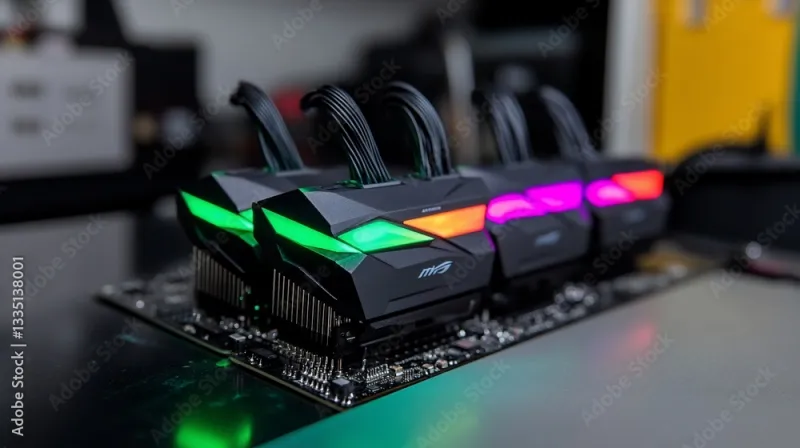
Photo: colorful RGB RAM sticks installed in gaming PC motherboard, via as1.ftcdn.net
Picture this: you're deep in a PC build rabbit hole at 1 a.m., and some guy with 47,000 Reddit karma is absolutely insisting that running anything under 6000MHz DDR5 CL30 is a war crime against gaming. His post has 2,400 upvotes. You start sweating. You start Googling. You start adding a $200 RAM kit to your cart.
Put the credit card down. Grab a banana. Let's talk.
The MHz obsession in PC building culture has reached a level of religious fervor that would make tech journalists genuinely uncomfortable. The truth — boring, unsexy, and budget-friendly — is that for the vast majority of gamers, memory speed is one of the least impactful upgrades you can make. And we've got the receipts.
What RAM Speed Actually Does (And Doesn't Do)
Here's the quick and dirty: RAM speed affects how fast your processor can pull data from system memory. Higher MHz means more bandwidth. Lower latency means faster response times. In theory, your CPU gets fed data faster, your frames go up, confetti falls from the sky, everyone's happy.
In practice? The gains are real but hilariously small for gaming.
Multiple independent benchmark sets — from outlets like Hardware Unboxed, Gamers Nexus, and Digital Foundry — consistently show that jumping from 3200MHz DDR4 to 4000MHz DDR4 typically nets somewhere between 1% and 4% improvement in average framerates across most AAA titles. We're talking about the difference between 144 fps and 145.7 fps. You will not feel this. Your eyes cannot detect this. Your opponent in Warzone will not care.
The sweet spot for DDR4 builds has been sitting around 3200MHz to 3600MHz for years. For DDR5 platforms, 5600MHz to 6000MHz is where the performance curve starts to flatten out dramatically. Anything beyond that is diminishing returns territory dressed up in a very expensive RGB jacket.
The Games That Actually Care (A Little)
Now, to be fair — and BananaPC is nothing if not fair — there are scenarios where RAM speed genuinely moves the needle.
CPUs with integrated graphics, like AMD's Ryzen APUs or Intel's Arc-equipped chips, lean heavily on system RAM since they don't have dedicated VRAM. If you're gaming on an integrated graphics setup, faster RAM can produce noticeable gains. We're talking 10–20% in some cases. That's real. That matters.
Certain CPU architectures are also more memory-sensitive than others. AMD's older Zen 3 and Zen 4 chips show more responsiveness to RAM speed than many Intel counterparts, particularly in games that hammer the CPU. But even here, the delta between "good" RAM and "ludicrous" RAM is rarely worth the price premium.
Games like Cyberpunk 2077, Microsoft Flight Simulator, and open-world titles with massive streaming requirements can show slightly more sensitivity to memory bandwidth. But "slightly more" still usually lands in the single-digit percentage range.
Where MHz Hype Actually Makes Sense
Here's the part where the RAM speed crowd gets to feel smug for a minute: content creation and streaming are different stories.
Video editing software like Adobe Premiere Pro and DaVinci Resolve genuinely benefits from higher memory bandwidth. Compiling code, running virtual machines, handling large datasets — these workloads chew through RAM bandwidth in ways that games simply don't. If you're a streamer who's also editing your own content, a creator who bounces between 4K timelines and gaming sessions, or someone running heavy multitasking setups, faster RAM starts making a real argument for itself.
But if you're purely a gamer? The content creator use case doesn't apply to you. Stop using it to justify the $250 kit.
The RGB Tax Is Real and It Is Spectacular
Let's have a moment of silence for all the money that has been spent on RAM lighting.
RGB RAM kits routinely cost $20 to $50 more than functionally identical non-RGB versions. Same chips. Same speeds. Same timings. One of them glows like a nightclub. One of them doesn't. The one that glows costs more because humans are visual creatures who make deeply irrational decisions.
If your case has a glass side panel and you want the light show, fine — we're not here to kill your joy. But walk into that purchase knowing you're paying an aesthetic tax, not a performance premium. The MHz numbers on the box are doing the heavy lifting in justifying the price, and now you know those numbers are doing less heavy lifting than advertised.
So Where Should You Actually Spend That Upgrade Budget?
Glad you asked. Here's what actually moves the needle for gaming performance, in rough order of impact:
1. Your GPU. Always the GPU. A graphics card upgrade from a mid-tier to a higher-tier card will give you more FPS improvement in a single purchase than any RAM upgrade you'll ever make in your life. This is not an exaggeration.
2. Your storage. Moving from a hard drive to an NVMe SSD doesn't boost FPS directly, but it dramatically reduces load times and stuttering in open-world games that stream assets. It makes your entire system feel faster. It's the upgrade that makes every other part of your rig feel better.
3. Your CPU — sometimes. If you're running a genuinely ancient processor paired with a modern GPU, a CPU upgrade can unlock performance that's being left on the table. But if your chip is within two or three generations, you're probably fine.
4. Capacity over speed. If you're gaming while running Discord, a browser with 47 tabs, and Spotify simultaneously (we see you), bumping from 16GB to 32GB of RAM will do more for your experience than any MHz upgrade. Windows loves eating RAM for breakfast.
The Bottom Line
The MHz arms race in gaming RAM is a marketing triumph dressed up as technical necessity. The jump from budget-tier to mainstream RAM speeds is worth making. The jump from mainstream to extreme enthusiast speeds is mostly worth bragging rights.
Get yourself a solid 32GB kit at a reasonable speed for your platform — DDR4 3600MHz or DDR5 6000MHz — and spend the money you saved on something that'll actually show up in your gameplay. Your framerates will be basically identical. Your bank account will be measurably happier.
And hey — if you still want the RGB? We get it. Just know what you're buying.