The Sneaky 'One-Click Boost' Your Motherboard Vendor Buried in the BIOS Is Playing Games With Your Warranty
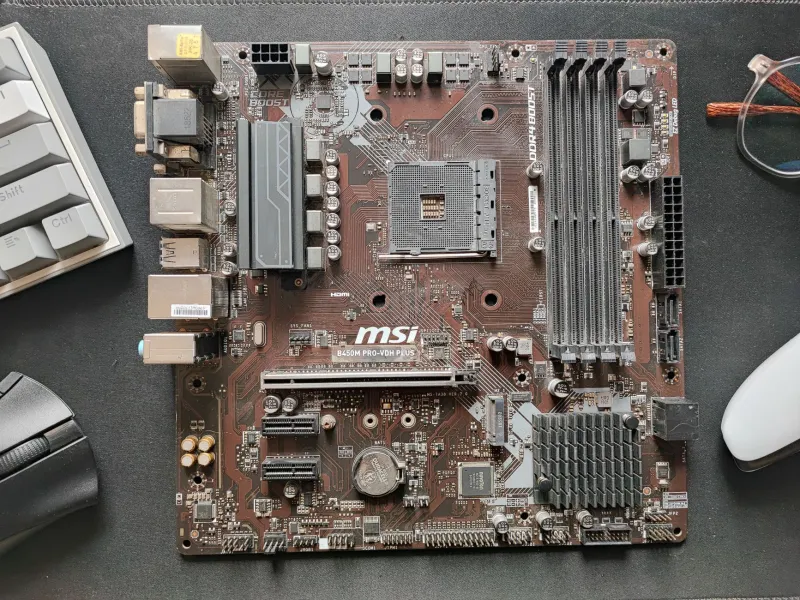
Let's paint a picture. You just dropped serious cash on a brand-new motherboard — one of those sleek, aggressively named boards with "PRO," "EXTREME," or "APEX" somewhere in the title. You boot into the BIOS, and right there on the main screen, glowing like a ripe banana on a fruit stand, is a button that basically says: want more performance for free? You hover over it. Of course you do. Who wouldn't?
That button — whether it's called AI Overclocking, Precision Boost Overdrive, MultiCore Enhancement, or whatever flavor of marketing your vendor chose this quarter — is not your friend. Or rather, it's the kind of friend who buys you shots all night and then disappears when the hangover hits.
What "Auto-Overclocking" Actually Means (Translated From Marketing Speak)
Here's the thing manufacturers don't exactly shout from the rooftops: when you enable these auto-overclock features, your motherboard isn't doing anything magical. It's relaxing — or outright ignoring — the power and thermal limits that Intel and AMD specified for your processor.
By default, a CPU like an Intel Core i9 or AMD Ryzen 9 ships with strict power delivery guidelines. These aren't suggestions. They're the engineers' way of saying, "run the chip at these parameters, and we'll guarantee it works reliably for years." Motherboard vendors, however, have a different incentive: they want their board to look faster in third-party benchmarks so you buy it over the competition.
So they build in presets that tell your CPU to draw far more power than rated — sometimes 50% to 150% more — which generates extra heat, stresses the voltage regulation circuitry, and pushes your chip into territory it was never tested to sustain long-term. The benchmark numbers go up. The YouTube review scores well. You buy the board. Everyone wins. Except, eventually, your hardware.
The Warranty Trap Nobody Reads Until It's Too Late
Here's where things get genuinely spicy. Both Intel and AMD have language in their processor warranties that can void coverage if the chip was operated outside of recommended specifications — including power limits. And guess what enabling "MultiCore Enhancement" or "Precision Boost Overdrive" on certain profiles does? Yep. It pushes your processor outside those specs.
Now, practically speaking, getting a warranty claim denied because of this is still relatively rare. But "rare" isn't the same as "impossible," and as CPUs get more expensive, that distinction starts to matter a lot. If your $600 Ryzen 9 dies eighteen months in and the vendor's support team pulls diagnostic logs showing sustained power draw well above rated TDP, you may find yourself holding a very expensive paperweight with no recourse.
The motherboard manufacturer, for their part, is completely off the hook. Their product did exactly what it advertised. You clicked the button. You agreed to the terms. Peel back the price of that "free" performance and you might find it costs more than you bargained for.
Why Vendors Do This (And Why It's Not Going Away)
Let's be fair — this isn't pure villainy. There's a genuine competitive pressure at play. When every major board maker enables aggressive out-of-box power limits by default, any vendor that ships with strict, spec-compliant settings looks slower in reviews. It becomes a race to the bottom where "correct" behavior is penalized by the market.
ASUS, MSI, Gigabyte, and ASRock have all been caught in this cycle at various points. Some have even been publicly called out by Intel itself for ignoring power limit guidelines on 12th and 13th gen boards — a situation that contributed to widespread instability reports in 2023 and 2024. Intel eventually released updated guidance, and vendors scrambled to patch their defaults. But the feature is still there. Still one toggle away.
For vendors, the upside is obvious: better-looking benchmark performance, more favorable reviews, more sales. The downside — reduced component longevity, potential instability — falls entirely on the user. It's a phenomenal deal if you're the one selling motherboards.
How to Tell If Your Board Is Doing This Right Now
You don't have to be a hardware engineer to figure out if your motherboard is quietly playing fast and loose with your CPU. A few practical checks:
Check your BIOS for power limit settings. Look for options labeled "PL1," "PL2," "Package Power Limit," or "Long Duration Power Limit." If these are set to values significantly higher than Intel's or AMD's official specs (easily searchable for your specific chip), your board is running outside recommended parameters.
Use HWiNFO64 under load. This free tool will show you real-time CPU package power draw. Run a sustained workload like Cinebench or Prime95 and watch the wattage. If your 65W TDP chip is consistently pulling 120W+ for extended periods, something upstream gave it permission to do that.
Look for "AI" or "Auto" overclock toggles in the BIOS. These are almost universally the culprit. Disable them unless you've done the research to understand exactly what profile is being applied.
Check for XMP/EXPO profiles on your RAM. These are generally safer than CPU auto-OC features — they're memory profiles tested and validated by RAM manufacturers — but even here, not all XMP profiles are created equal, and some aggressive ones can cause instability.
The Safe Path Through the Jungle
None of this means you should run your hardware at the absolute minimum settings and never touch a BIOS option again. Manual overclocking, done carefully, can absolutely be safe and rewarding. The difference is you're in control, you're making informed decisions about tradeoffs, and you understand what you're accepting.
If you want to push your CPU, learn what your chip's rated TDP actually is. Set your power limits manually to something reasonable — maybe 10-15% above stock if your cooling can handle it — rather than letting a "Smart Boost Ultra Turbo Mode" do whatever it wants in the background. Monitor your temperatures. Keep your thermals in check. And for the love of all things silicon, read the warranty documentation before you start clicking things labeled "Extreme."
At BananaPC, we're all for squeezing value out of every dollar you spend on your rig. But "free performance" that quietly shortens your hardware's lifespan and potentially voids your warranty isn't free — it's a layaway plan you didn't sign up for. Peel back the marketing, understand what's actually happening under the hood, and make the call yourself.
Just maybe don't let a BIOS toggle make it for you.