PCIe 5.0 SSDs Are Blazing Fast. They're Also Kind of Pointless for Most Gamers.
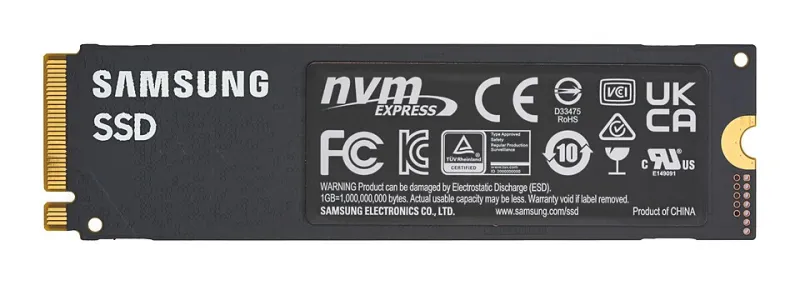
Photo: D-Kuru, CC BY-SA 4.0, via Wikimedia Commons
Imagine you're at a drag strip. In one lane, there's a 1,500-horsepower top-fuel dragster that costs $400,000 and runs the quarter mile in 3.7 seconds. In the other lane, there's a tuned Honda Civic that costs $8,000 and runs it in 13 seconds. Now imagine the finish line is your game's loading screen — and it only takes 2 seconds to cross regardless of which car you're driving.
That, in a banana peel-sized nutshell, is the PCIe 5.0 SSD situation in 2024.
The Speed Numbers That Sound Incredible
PCIe 5.0 NVMe drives are genuinely staggering on paper. Drives like the Crucial T705 and Seagate FireCuda 540 are pushing sequential read speeds north of 12,000-14,000 MB/s. For context, a solid PCIe 4.0 drive — something like the Samsung 980 Pro or WD Black SN850X — tops out around 7,000 MB/s. And a capable PCIe 3.0 budget drive? Maybe 3,500 MB/s.
Those are real, measurable differences. In a synthetic benchmark, the PCIe 5.0 drive will make the PCIe 4.0 drive look like it's running through wet concrete. The marketing materials are very excited about this. The charts are very tall. The colors are very dramatic.
And then you actually sit down and load Baldur's Gate 3.
What Actually Happens When You Load a Game
We timed loading screens across a handful of popular titles — Starfield, Cyberpunk 2077, Elden Ring, Call of Duty: Modern Warfare III, and Baldur's Gate 3 — using three drives at different price points:
- PCIe 5.0: Crucial T705 2TB (~$220)
- PCIe 4.0 Mid-Range: WD Black SN850X 2TB (~$130)
- PCIe 4.0 Budget: SK Hynix P41 Platinum 2TB (~$85)
The results were, to put it diplomatically, not what the PCIe 5.0 marketing team had in mind.
In Starfield, the PCIe 5.0 drive loaded into a new area in roughly 4.1 seconds. The WD Black SN850X: 4.6 seconds. The budget SK Hynix: 5.3 seconds. Across the board, differences ranged from less than a second to maybe two seconds in the most extreme cases.
Two seconds. You could sneeze in that time. You could briefly contemplate your life choices. You could not, however, notice a meaningful quality-of-life improvement that justifies paying $90 more for a drive.
Why the Gap Is So Small (It's Not What You Think)
Here's the part where we get briefly technical before returning to our regularly scheduled snark.
Game engines don't load assets in a single massive sequential stream. They load thousands of small, random files — textures, audio, geometry data, scripts — in patterns that look nothing like the sequential read benchmarks that make PCIe 5.0 drives look so impressive. The bottleneck in game loading isn't usually raw drive throughput. It's often the CPU decompressing assets, the game engine processing what it just loaded, or the GPU getting everything into VRAM.
DirectStorage, Microsoft's technology designed to let games feed data more directly to the GPU and bypass some of these bottlenecks, is slowly rolling out in titles like Forspoken and Ratchet & Clank: Rift Apart on PC. When more games adopt it properly, faster drives will matter more. Right now? Most games weren't built to take advantage of speeds that make PCIe 5.0 drives special.
You've bought a Ferrari for a city with a 25 mph speed limit.
Boot Times: The One Place It's Kind of Fun
Okay, we'll give PCIe 5.0 this one. Cold boot times from a fresh Windows 11 install were noticeably snappier on the Gen 5 drive — about 12 seconds versus 16 seconds on the budget PCIe 4.0 drive. That's a real-world win. If you're the type of person who restarts their PC constantly (or who works on a machine that boots up dozens of times a day), this is a genuine quality-of-life improvement.
For everyone else who puts their PC to sleep like a normal person and wakes it up in 2 seconds regardless of drive generation: enjoy your savings.
The "Loading Memes Faster" Tier (Everyday Tasks)
File transfers, large application launches, video editing scrubbing — this is where high-speed NVMe actually earns its keep. If you're moving 50GB of footage around, the difference between a PCIe 3.0 drive and a PCIe 5.0 drive is genuinely meaningful. If you're a content creator, video editor, or someone who regularly works with massive files, the premium starts making more sense.
For loading memes, opening Chrome with 47 tabs, and downloading your fifth copy of Minecraft? The budget drive is indistinguishable from the expensive one. Your memes will arrive at the same speed. The algorithm doesn't care about your NVMe generation.
Heat: The Inconvenient Truth
PCIe 5.0 drives run hot. Like, uncomfortably, impressively, "why is my M.2 slot area 89 degrees Celsius" hot. Most of them ship with heatsinks because they basically require them. If your case airflow isn't great or your motherboard's M.2 heatsink is underwhelming, you may experience thermal throttling that actually brings performance below a cooler-running PCIe 4.0 drive.
This is the kind of fun surprise that doesn't make it into the review headlines.
So Who Should Actually Buy a PCIe 5.0 Drive?
Let's be honest about the target audience:
Buy a PCIe 5.0 drive if: You're a professional content creator or video editor who regularly transfers massive files. You're a benchmarking enthusiast who loves big numbers. You're building a workstation where sustained sequential throughput genuinely matters. You just really, really want the fastest thing available and money isn't a concern — no judgment, we respect the commitment.
Stick with PCIe 4.0 if: You're primarily a gamer. You're on a budget. Your motherboard doesn't support PCIe 5.0 M.2 slots anyway (check before you buy, please). You'd rather spend that $90-$130 price difference on literally anything else that will have a more visible impact on your experience.
The BananaPC Verdict
PCIe 5.0 SSDs are technological marvels wrapped in a marketing story that's running slightly ahead of the software ecosystem that would make them genuinely matter for gaming. The speeds are real. The gaming benefits, for now, are mostly theoretical.
A quality PCIe 4.0 drive — the WD Black SN850X, Samsung 990 Pro, or the budget-friendly SK Hynix P41 — will serve the overwhelming majority of gamers just as well in day-to-day use, cost significantly less, and not turn your M.2 slot into a hand warmer.
The best SSD is the one that loads your games fast enough that you barely notice it — and every decent NVMe drive from the last three years clears that bar comfortably.
Peel back the price. The banana underneath is basically the same.